


Player Shop
Player Shop is a new system that Miracle offers that allow players to create their own trade shop in different areas of the game, transforming your character into a 'NPC' that operates in the game even while you are offline, so any player can visit your store to buy your items.
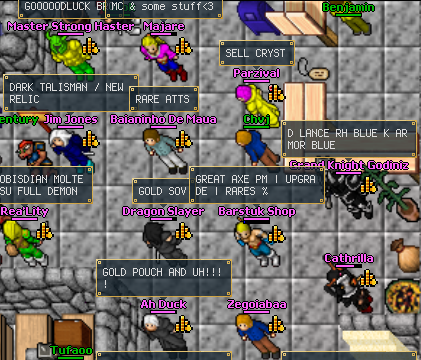
Since you can only have one logged-in character per account in the game, it is perfectly acceptable to use a secondary account for this system while you play on your main account. It doesn't fit the multi-clienting rule. However, we recommend reading the rules page as there are some specific points about this system.
To start your shop, first you need the private store document  , which you can get at the store (10 points). This document will give you permission to open your own commerce for 48 consecutive hours. After that, you can right-click in your character and click in 'open shop' to start configuring your items.
Setting up your shop
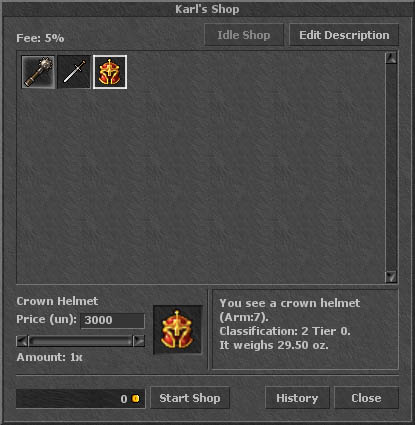
You can then setup your items prices, remove or set a default price for some item, right-clicking on them. Remember that the price is always based on the unit, so if you put 100 bolts up for sale, list them for 5gp (not 500gp!). Edit your shop description or leave it without any, then click in "start shop" to start your commerce.
Now you can just click on "idle shop" or exit your client so that your character continues selling items in the game.


